
WappyBe where your client is

From request to completion

Forms, scenarios, orders, and bookings for the browser and Telegram Mini App. Wappy keeps the client context connected while work moves to completion.

All core Wappy capabilities are available for free. Limits apply to volume, not features.

Wappy workspace
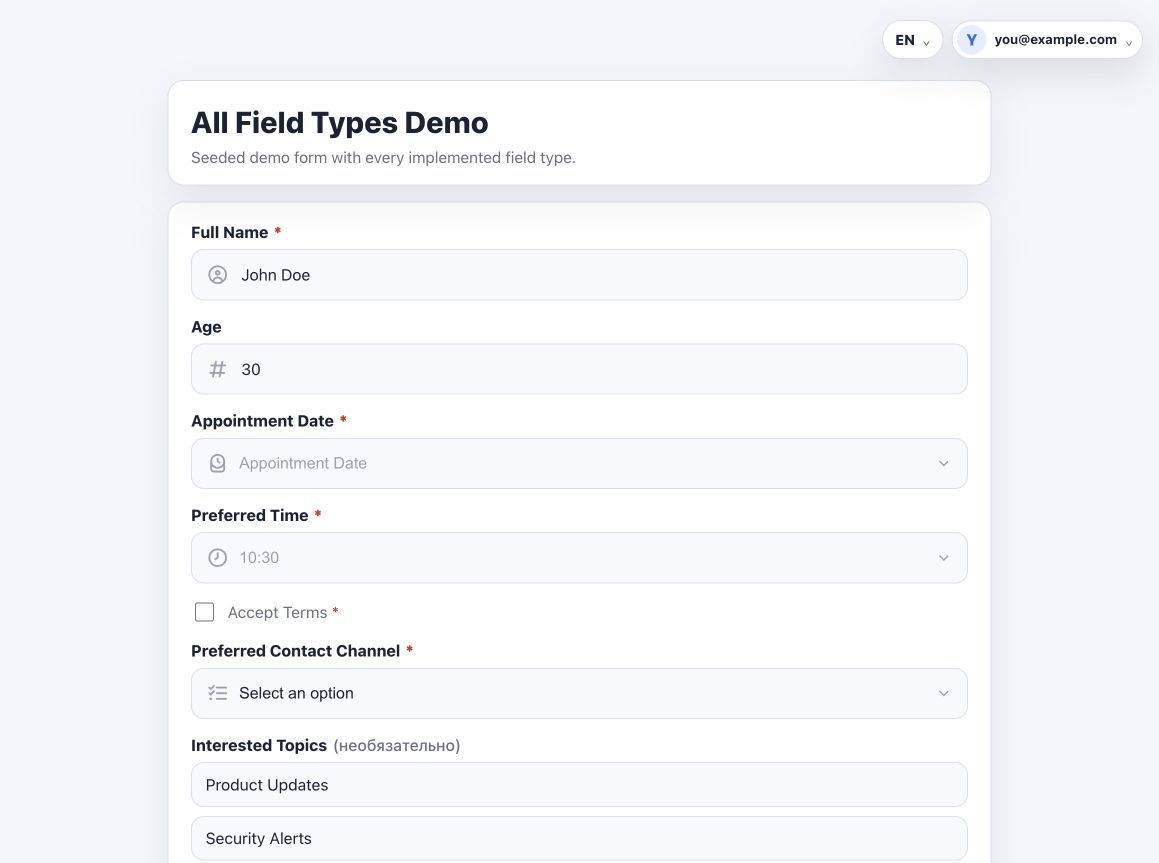
Browser form
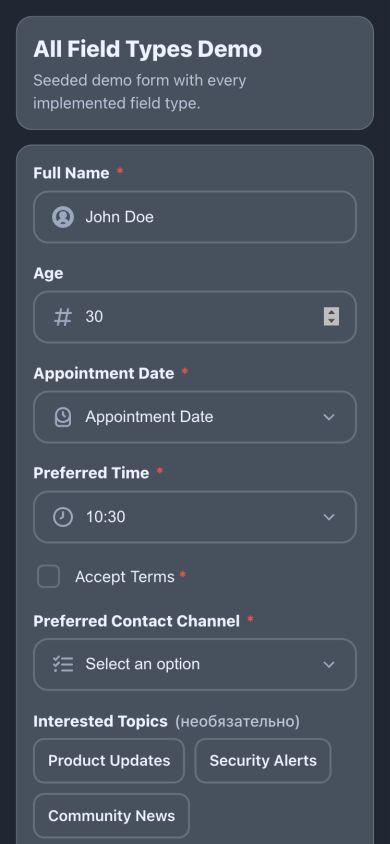
Telegram Mini App

The whole path

From request to completed work

  1. 01 Build Form and scenario
  2. 02 Receive Order, booking, and client context
  3. 03 Work Statuses through completion

Break a complex process into clear steps

A scenario is a set of connected forms where the next step depends on the client's answer. Replace one huge form with a path that makes sense.

Conditions Branching Previous answers Actions Team notifications

Turn forms into orders and bookings

Quantity and stock for orders. Working hours and occupied slots for bookings.

01

Order

Create a menu or catalog: let clients choose items and quantities, then send an order with their details.

  1. 1Products
  2. 2Quantity
  3. 3Stock and limits
  4. 4Client details
Order preview
Product selectionQuantity
StockTracked
TotalFrom catalog
02

Booking

Set up online booking: clients choose a service, specialist, and free time without schedule overlaps.

  1. 1Service
  2. 2Specialist
  3. 3Free time
  4. 4Confirmation
Client booking flow
Services Specialists Working hours Breaks Google Calendar

One scenario — in the browser and Telegram

Clients fill out the form wherever it is more convenient. The rules and data stay shared across both interfaces.

01

Browser

Book a service from a regular link.

Service booking in the browser
02

Telegram Mini App

Book a haircut inside Telegram Mini App.

Haircut booking in Telegram Mini App

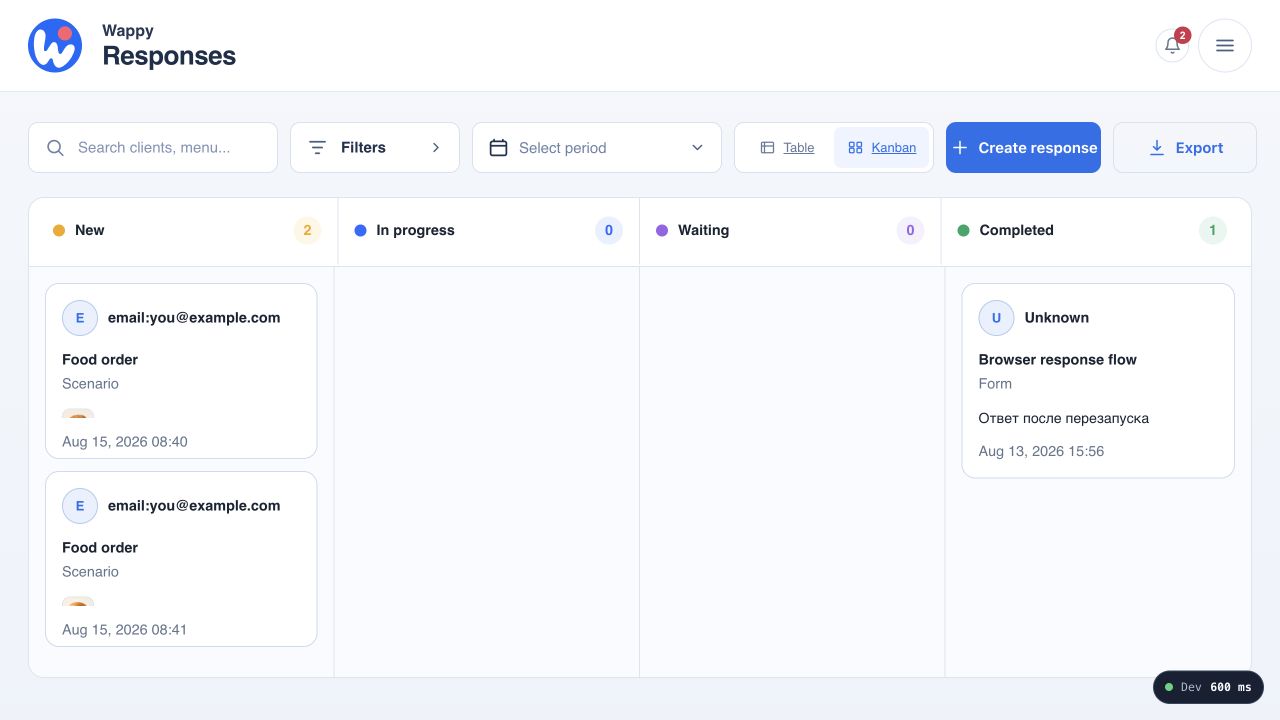
Move requests through clear stages

The request appears in Wappy's workspace. Open the response and client, start work, wait for information or payment, and complete it when the job is done. The Kanban workspace is built in.

New In progress Waiting Completed
Wappy Kanban for responses
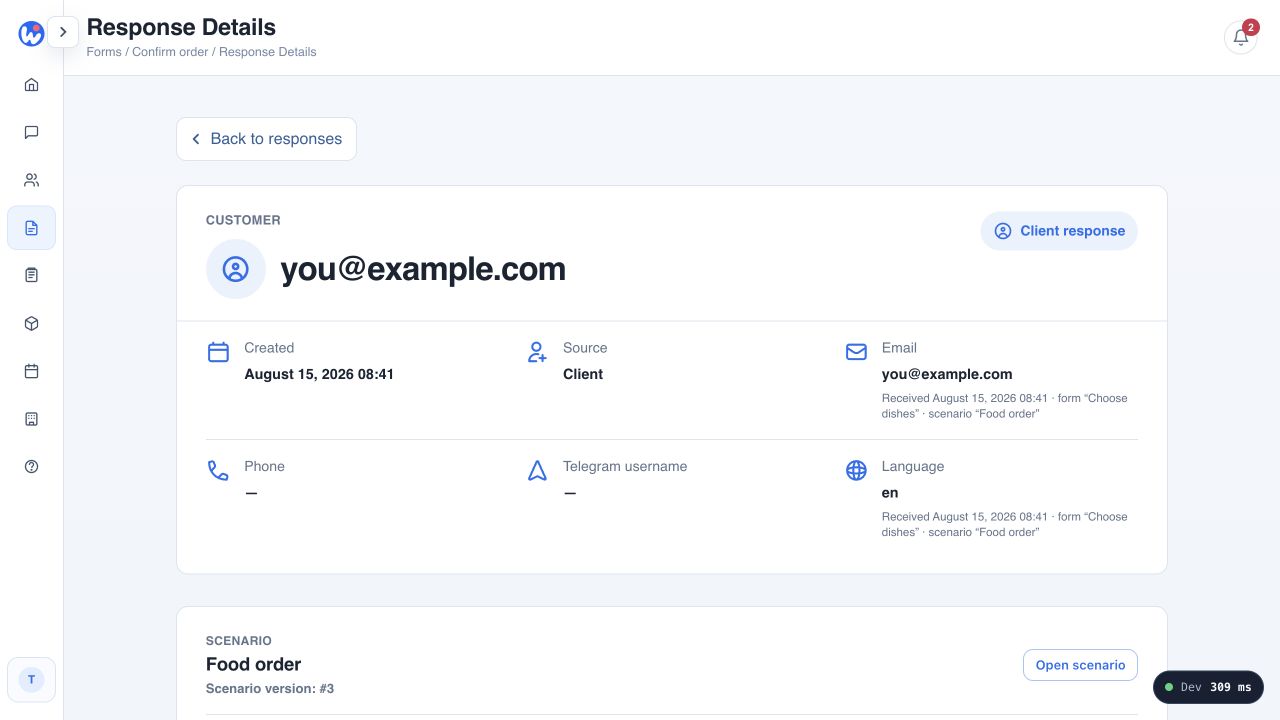
Wappy response details with client context

See the whole client, not only the last answer

Email, phone, Telegram, request history, and conversations gather around one client. Your team doesn't have to search for context between a form, bot, calendar, and spreadsheet.

  • One client identity across their requests
  • Email and phone next to the response
  • Telegram context when it is available
  • Request and conversation history
Continue the conversation in context

Open the Telegram chat from the request and keep the next message beside the client's response.

How Wappy works in your business

Ready routes for services, orders, and consultations — shape your own from clear steps.

01

Salon / specialist

Service → specialist → free time → booking → work

02

Shop / food order

Catalog → quantity → contact → order → processing

03

Consultation

Questionnaire → clarifying questions → specialist → booking

04

Event

Registration → track → extra questions → confirmation

Everything needed to work with forms

Fields, conditions, editing, export, and testing are already included.

Many field types Conditional fields Edit responses CSV / XLSX export

Ready solutions for your business

You do not have to build the process from scratch. Choose a ready scenario, change the services, products, or questions, and launch it for clients.

For services

Online booking for a specialist or salon

Set up client booking for a hairdresser, barber, beauty specialist, massage therapist, or small salon. Keep the schedule and free time under your control.

service → specialist → free time → client booking

  • hairdresser or barber
  • nail technician or cosmetologist
  • independent specialist or salon

Ready template Haircut booking

Use booking template
For sales

Accept online orders

Create an online order flow for a small cafe, home kitchen, baker, food delivery service, or Telegram shop.

menu / catalog → product selection → order confirmation

  • cafe or home kitchen
  • baker or food delivery
  • small Telegram shop

Ready template Food order

Use order template
For collecting data

Registration and surveys

Use a regular form to collect requests, contacts, and feedback or run an online survey for event participants.

registration form → questions → contacts → confirmation

  • event registration
  • questionnaire or online survey
  • requests and contact collection

Ready template Survey / registration

Use form template

You do not have to start from a blank screen

Choose a ready template, change the services, products, questions, and schedule, then publish it for clients.

Wappy stays configurable, but common tasks already have a ready starting point.

  • Haircut booking Service → specialist → free time
  • Food order Menu → product selection → order confirmation
  • Survey / registration Registration, request, or online survey
View templates

Free plan

Start for free

Free already includes forms, scenarios, orders, bookings, client work, Kanban, messages, and Telegram Mini App. Paid plans increase limits.

Move to the next plan when your volume grows.

Wappy

Free

0 ₽

Limits for one workspace

The Free plan is not a trial period.

  • 1scenario
  • 1Telegram bot
  • 10forms
  • 10products and services total
  • 2booking calendars
  • 1workspace member
  • Unlimited clients
  • Unlimited responses
  • Configurable response retention
  • Included Kanban board
  • Included messages
  • Included Telegram Mini App

Limits are per workspace. Products and services share the 10-item catalog limit; values stay synced with the Free configuration.

Frequently asked questions

Short answers about client booking, orders, forms, Telegram, and the Wappy Free plan.

Can Wappy be used for online client booking?

Yes. You can create a scenario where a client chooses a service, specialist, and free time. Wappy already has a haircut booking template that can be adapted for other services.

Is Wappy suitable for a hairdresser or beauty specialist?

Yes. Wappy can be used for client booking, request storage, schedules, and follow-up work. The same scenario can open in a browser or through Telegram.

Is there a ready online booking template?

Yes. Wappy includes a template where the client chooses a service, specialist, and booking time in sequence.

Can Wappy accept orders?

Yes. Create a menu or product catalog, let the client choose items, and then confirm the order. Wappy has a ready food order template for this.

Can Wappy be used for event registration?

Yes. A regular form works for participant registration, contact collection, questionnaires, and surveys.

Do I need to program?

No. Forms, scenarios, products, services, and booking are configured through the Wappy interface.

Can a form be opened without Telegram?

Yes. A form or scenario can be opened with a regular browser link.

Can Wappy be used inside Telegram?

Yes. The same forms and scenarios can run through a Telegram Mini App.

What happens after a client submits a request?

The response appears in Wappy. You can open it with client information and continue working on it, including changing its status on the Kanban board.

Is Wappy free?

Yes. Free costs 0 ₽: 1 workspace member, 10 forms, 1 scenario, 2 booking calendars, 1 Telegram bot, and up to 10 products and services total. Clients and responses are not limited by the plan; Kanban, messages, and Telegram Mini App are included. The Free plan is not a trial period.

Is Wappy a CRM?

Wappy includes some capabilities commonly used in a CRM: a client database, request history, requests, statuses, and conversations. Wappy is primarily designed to create processes through which a client sends a request, places an order, or books a service.

Handle your next client request in Wappy

Build a workflow, publish it where your client is, and keep the work moving in Wappy.

Start for free →
Ask a question